Table of Contents
What Is a Job Posting?
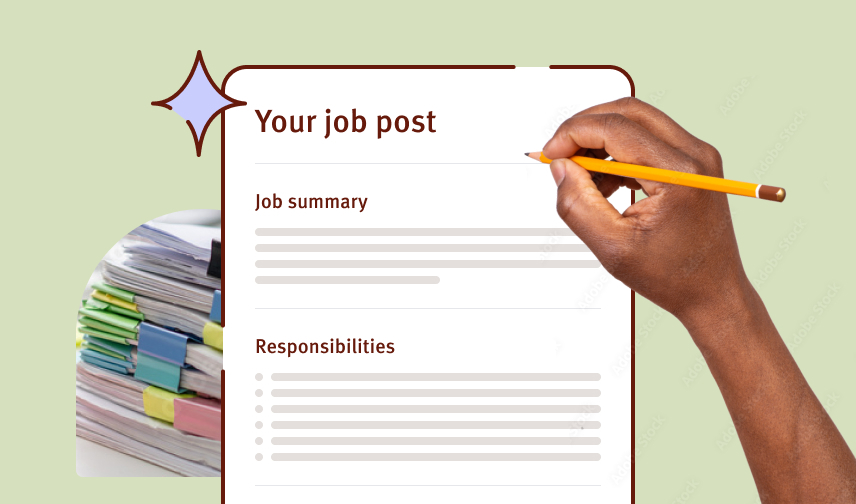
A job posting is a public announcement that a position is open, designed to attract candidates. It typically lives on job boards, company websites, and hiring platforms. Unlike an internal job description, a posting is written for external audiences and must appeal to the candidates you want to reach while being clear enough for everyone to understand the role.
A strong job posting doesn’t just list what you’re looking for. It tells candidates why the role matters, what success looks like, and why they should apply.
That’s the importance of knowing how to write a job posting that offers a tantalizing glimpse of your open role. It is an essential skill whether you’re hiring your first employee or 100th.
What Is the Difference Between a Job Posting and a Job Description?
These terms are often used interchangeably, but they serve different purposes:
| Element | Job Description | Job Posting |
|---|---|---|
| Purpose | Internal document defining the role | Public announcement to attract candidates |
| Audience | Employees, managers, HR team | Job seekers, candidates |
| Tone | Formal, detailed, comprehensive | Engaging, compelling, approachable |
| Content Focus | Reporting structure, detailed responsibilities, internal expectations | Impact of the role, why it matters, candidate benefits |
A job description is the internal document defining the role’s responsibilities, requirements, and reporting structure. A job posting is the public-facing version of that document, written to attract applicants. Most strong postings start with a good job description, then rewrite key sections to appeal to candidates.
What Should Be Included in a Job Posting?
Every effective job posting includes these core elements:
1. Job Title
Use a clear, descriptive title that candidates would actually search for. Avoid internal jargon or overly creative titles. Examples: ‘Marketing Manager’ instead of ‘Growth Ninja,’ or ‘Customer Support Specialist’ instead of ‘Support Wizard.’
The right title also helps your posting get found, whether candidates are searching on a job board or directly on your site.
2. Job Summary
Write 2-3 sentences that describe the role and why it matters. This should answer: What will this person do, and why does it matter to the company or customers? Make it compelling enough that a strong candidate wants to read more.
3. Key Responsibilities
List 5-8 specific responsibilities. Be concrete. Instead of ‘manage projects,’ say ‘lead 3-4 concurrent client projects from kickoff through delivery, coordinating with design and development teams.’
4. Required and Preferred Qualifications
Separate required skills from nice-to-haves. Be honest about what you actually need versus what would be great to have. Longer lists of requirements discourage strong candidates from applying.
Pro Tip: Interview Hiring Managers and Team Members
Clarify job requirements: Speaking with hiring managers and team members lets you understand the specific skills, qualifications, and experience needed for the role.
Align expectations: Discussing the role with those working closely with the new hire ensures that all understand the expected responsibilities and outcomes.
Improve recruitment strategies: Insights from your hiring managers may reveal where to source candidates and what specific qualifications to prioritize.
5. Compensation and Benefits
Include a salary range or salary information. Candidates expect this, and transparency increases your application rate. More on this below.
6. How to Apply
Make the application process clear and simple. Whether you use an application form, email, or an ATS, tell candidates exactly what to do and what to expect next.
7. Company Information
Briefly describe your company, your mission, and what makes it a good place to work. Candidates want to understand who they’re working for and what the culture is like.
How Do I Write a Job Posting Step by Step?
Follow this process to create a posting that attracts strong candidates:
Step 1: Start with your job description
Use your internal job description as the foundation. This ensures you’re not missing critical details and helps maintain consistency across your hiring process.
Step 2: Write a compelling summary
In 2-3 sentences, answer: Why does this role exist? What impact will the person in this role have? Why should someone care about applying?
Step 3: List responsibilities in order of importance
Start with the most critical responsibilities. Use specific language and concrete examples. Show what success looks like in this role.
Step 4: Separate required from preferred qualifications
Be realistic about what you need day one versus what candidates can learn. Too many required skills can discourage good candidates from applying.
Step 5: Add compensation and benefits
Include your salary range and key benefits. Research competitive salaries in your market so you’re attracting the right level of candidate.
Step 6: Optimize for keywords and searchability
Include common keywords that candidates search for. Use phrases like ‘remote,’ ‘flexible schedule,’ ‘entry-level,’ or ‘management experience’ if they apply.
Explicitly name skills, software/tools, and experience. This helps your posting show up in the right searches.
Step 7: Write a clear call to action
Tell candidates exactly how to apply. ‘Apply now using the button below’ or ‘Send your resume to [email].’ Make it easy to take the next step.
Step 8: Review for clarity and tone
Read it out loud. Does it sound like a real person wrote it? Is it clear what the job is and why someone should want it? Make adjustments until it feels right.
How Long Should a Job Posting Be?
The sweet spot is 300-700 words. Job postings longer than 700 words see a significant drop in application rates, according to SHRM research. Candidates want to understand the role quickly without wading through a novel.
That said, don’t cut important details. If you need 400 words to clearly explain the role and attract the right candidates, use 400. The goal is clarity, not word count.

Keep it tight: remove filler language, unnecessary adjectives, and vague descriptions. Every sentence should help a candidate understand the role or want to apply.
Should I Include Salary in a Job Posting?
Yes. Include a salary range or compensation information in your posting. Here’s why:
- 72% of job seekers say seeing salary information is very important when deciding whether to apply (Indeed data)
- Job postings that include salary ranges receive 44% more applications (LinkedIn data)
- Salary transparency saves time by filtering out candidates whose expectations don’t match your budget
- It signals that your company is transparent and fair
If you’re unsure about salary, research your market using tools like Glassdoor, PayScale, or LinkedIn Salary. Set a realistic range and be prepared to discuss it with candidates.
Wize Tip: Many states, including New York, Washington, Nevada, California, Nevada, Maryland, Rhode Island, and Connecticut, require pay transparency in job posts.
What Makes a Job Posting Stand Out?
Strong postings do these things:
Show the real work
Instead of ‘manage team communications,’ try ‘coordinate daily standup meetings, give feedback on project updates, and resolve blockers across the engineering and product teams.’ Help candidates visualize the actual day-to-day work.
Be authentic about culture
Candidates want to know what it’s really like to work at your company. A line like ‘we have flexible schedules and value work-life balance’ is more authentic than generic descriptions of culture.
Highlight growth opportunities
If there’s room for learning or advancement, mention it. Candidates care about where this role can lead.
Use inclusive language
Avoid gendered language or unnecessarily technical jargon. Make sure candidates from different backgrounds feel welcome to apply.
Tell candidates what to expect
How long is the hiring process? Will there be interviews? Will we test your skills? Setting expectations early reduces drop-off.
51% of job seekers would disengage/lose interest if the job description is vague or unclear.
How Wizehire Helps You Write Better Job Postings
Writing a strong job posting takes thought and effort, but the payoff is worth it: more applications, better-qualified candidates, and a faster hiring process.
Wizehire provides customizable job description templates + AI-generator tools and coaching support to help you build postings that actually work. Instead of starting from scratch, you can use our structured templates, get feedback from the Wizehire Coach, and publish with confidence.
The result: postings that attract the right candidates, reduced hiring friction, and clearer communication with your team about what you’re looking for.
56% of small businesses say that a job description generator and pre-employment assessments would improve their hiring process.
Frequently Asked Questions
A job posting and a job listing are the same thing. A posting is a public announcement of an open position that appears on job boards, your company website, and other platforms.
Keep a posting active until you’ve filled the role. Once you’ve hired, remove it promptly so candidates don’t apply to a position that’s already filled. This protects your reputation and prevents wasted follow-up conversations.
Absolutely. Remote, hybrid, and in-office work arrangements are critical to candidates’ decisions. Be clear about where the position is located and whether remote work is an option. This filters candidates early and saves everyone time.
Track these metrics: number of applications, quality of applicants, time to hire, and applicant sources. If you’re not getting applications or the applications aren’t qualified, your posting may need adjustment. Ask successful hires how they found the posting and what made them apply.
Research market rates using Glassdoor, PayScale, LinkedIn Salary, or similar tools. Filter by job title, location, and experience level. Once you have a sense of the market, set a range that’s competitive but realistic for your budget. An ideal starting point is to create a compensation philosophy.
Aim for 300-700 words. This is long enough to be clear and specific, but short enough that candidates will actually read it. Focus on clarity and usefulness, not length.

Wize Words
Growing your company is an exhilarating journey, but it can come with its fair share of challenges, starting with how to write a job posting that atracts the right people. Remember, the research and effort you put into creating an irresistible job post can make top talent come to you, saving time and energy in the long run.
Author

Share




 See How It Works